Increasing homepage bookings by 18%
Shipped
Website Redesign
Mobile Design
Accessibility

Overview
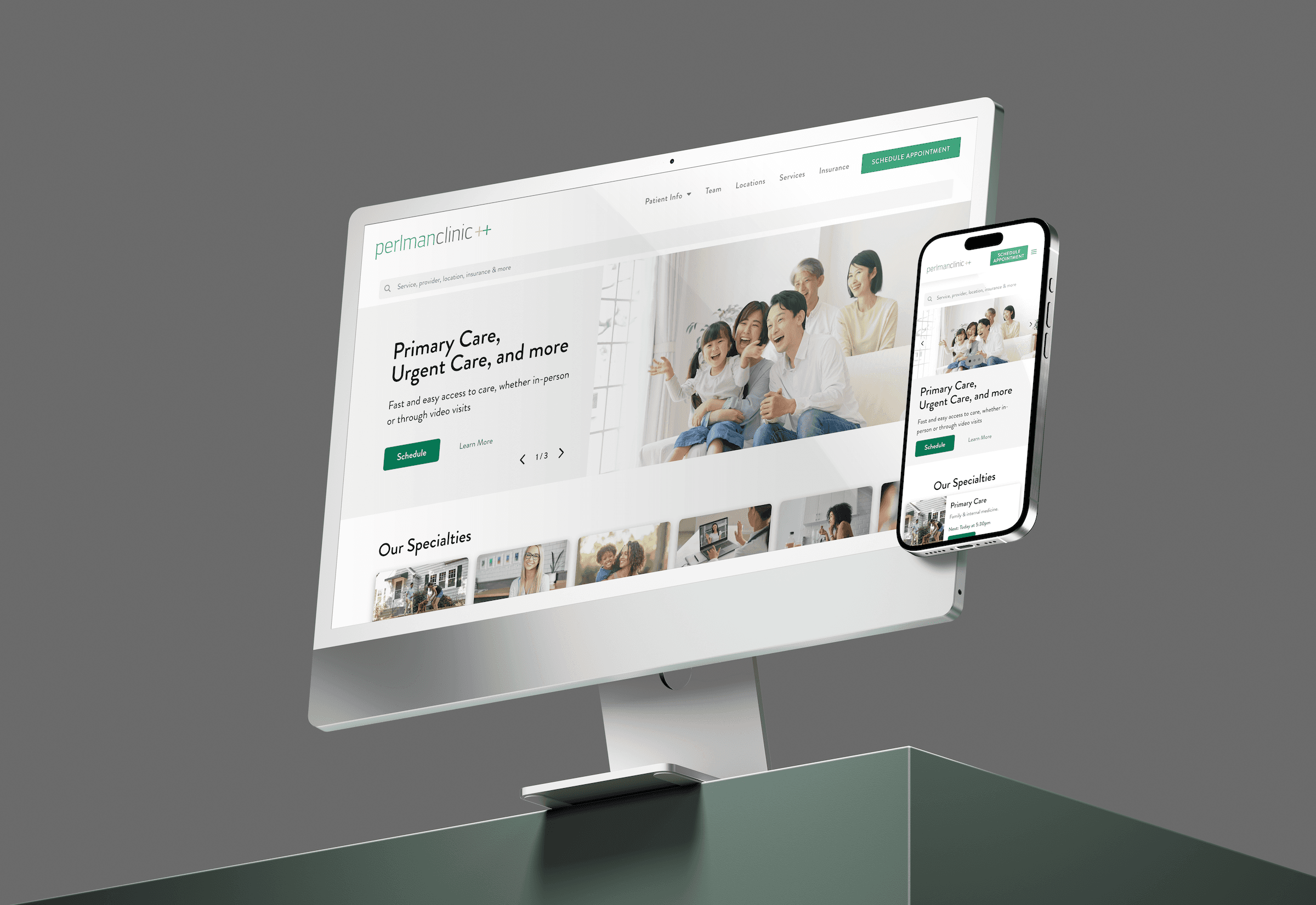
The challenge was to redesign Perlman Clinic's homepage so patients could quickly discover relevant services while giving the business a way to highlight new specialties.
My Role
I led the redesign from research through final delivery as a solo designer. I interviewed patients to uncover how they actually search for care, mapped their pain points, and translated those insights into a new homepage experience. My focus was on balancing patient-friendly language with a scalable layout that could grow with the business.
Results
35%
Increase in engagement
20%
Decrease in bounce rate
18%
Increase in appointment bookings
Company
Perlman Clinic
Timeline
June - July 2024
Role
Product Designer
Tools
Figma
Problem
Patients were landing on the homepage but leaving without booking. Analytics showed the page was losing both users and business.
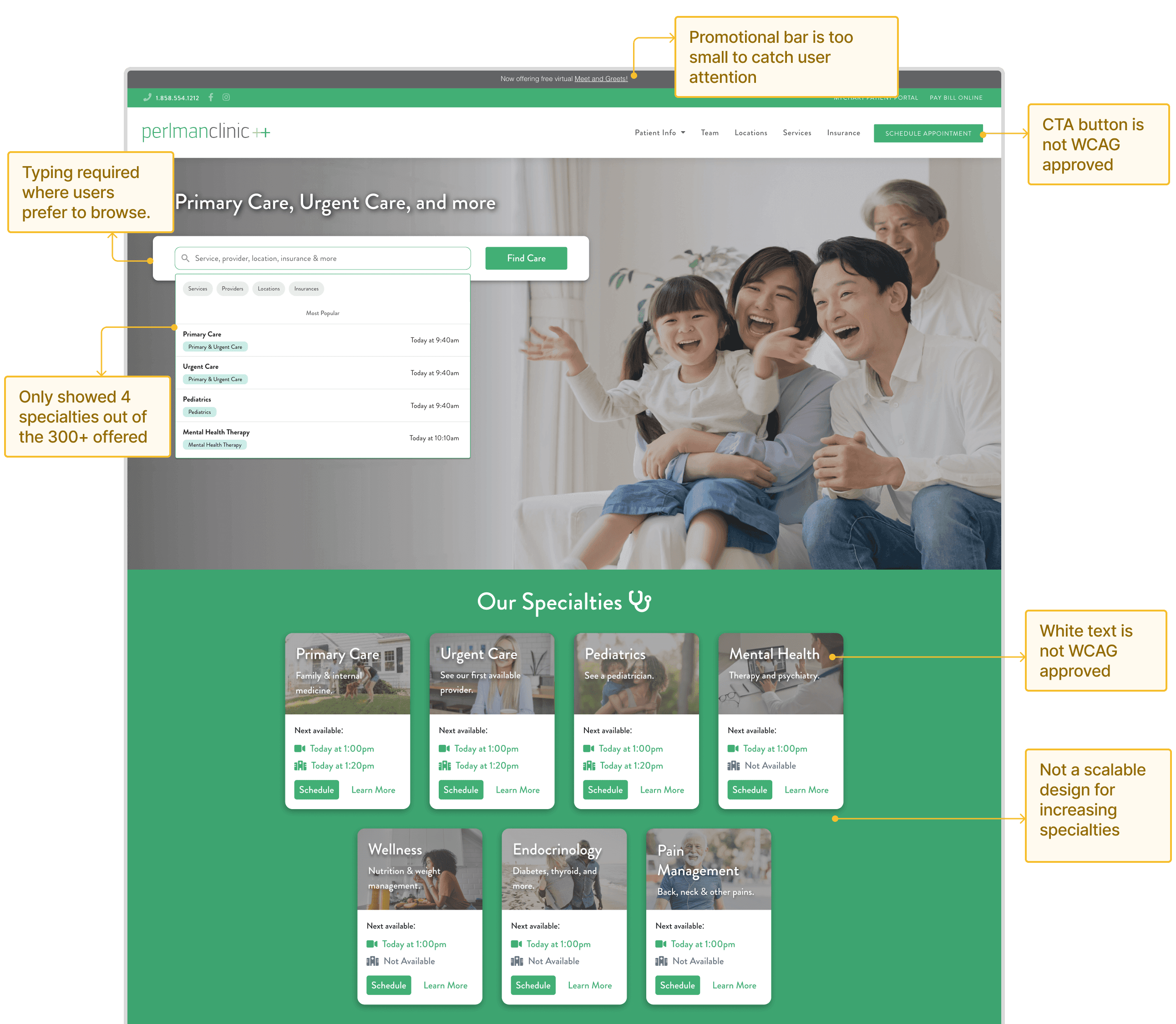
Despite offering over 300 services, the homepage only surfaced four, forcing patients to rely on search when they preferred to browse. Key actions like scheduling were hidden behind inaccessible buttons, and promotional content was too small to catch attention. The result was frustration, missed care opportunities, and a homepage that failed to guide patients or support the business.
Discovery
User interviews revealed the gaps between how patients search for care and how the site presented it, directly guiding the redesign strategy.
To design a homepage that truly resonates with patients, I interviewed 6 users to understand their expectations, goals, and pain points. My goal was to uncover mental models, navigation behaviors, and pain points that would guide the redesign.
Key insights from interviews
Mental Models
Patients think in terms of symptoms or specific services ("annual exam," "ADHD consultation") rather than broad medical terms like "Primary & Urgent Care"
Design Impact
How might we surface specific services in patient friendly language that match how people actually search for care?
Browse vs Search Behavior
Users demonstrated a preference for browsing over searching when exploring healthcare options
Design Impact
How might we create a browsable interface?
Future Use Consideration
Patients valued discovering services they might need later, not just immediate needs
Design Impact
How might we balance structure content to patient's immediate needs with discovery of additional relevant services?
Visual Preference
Patients responded more positively to designs that didn't look typically "clinical"
Design Impact
How might we create a warmer, more engaging visual aesthetic that maintains professionalism without feeling sterile?
Problem Statement
How might we redesign Perlman Clinic's homepage to make its expanding service offerings more discoverable and understandable to patients, driving higher engagement and appointment conversions?
measuring success
I defined success metrics before wireframing to keep the redesign focused on measurable outcomes.
By knowing what metrics needed improvement, I could focus my design choices on solving the right problems instead of just making the page look different.
Metric #1
Discoverability
More patients interact with a wider variety of services
Metric #2
Engagement
Higher clicks and exploration in the Services section
Metric #3
Conversion
Increase in appointments booked directly from the homepage
Wireframing
Because most patients used the site on mobile, I designed mobile-first wireframes and tested different layouts for services and specialties
First iteration: Mobile-first designs based on research insights
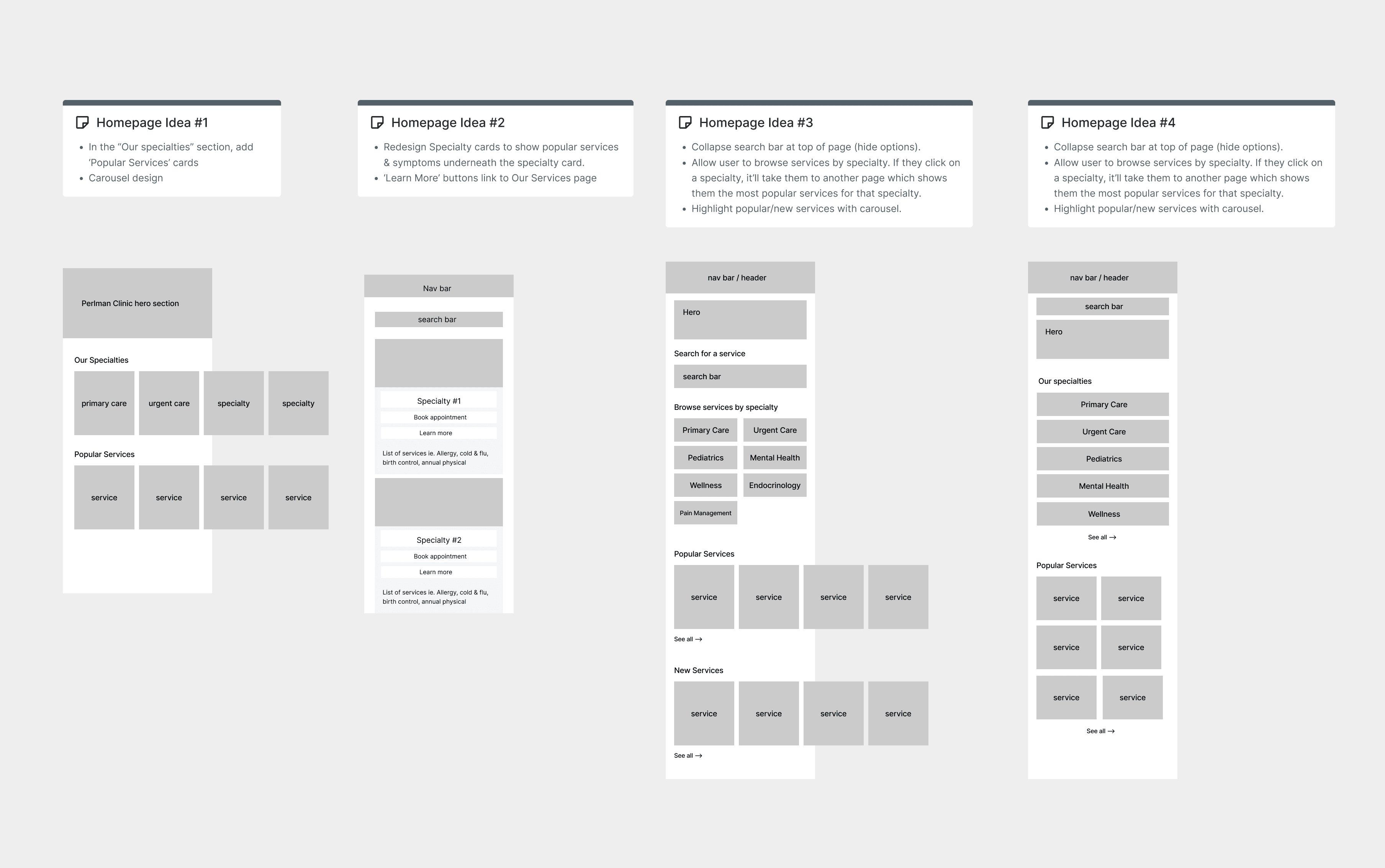
I shared the first set of mobile wireframes with stakeholders to align on priorities and iterate on feedback.
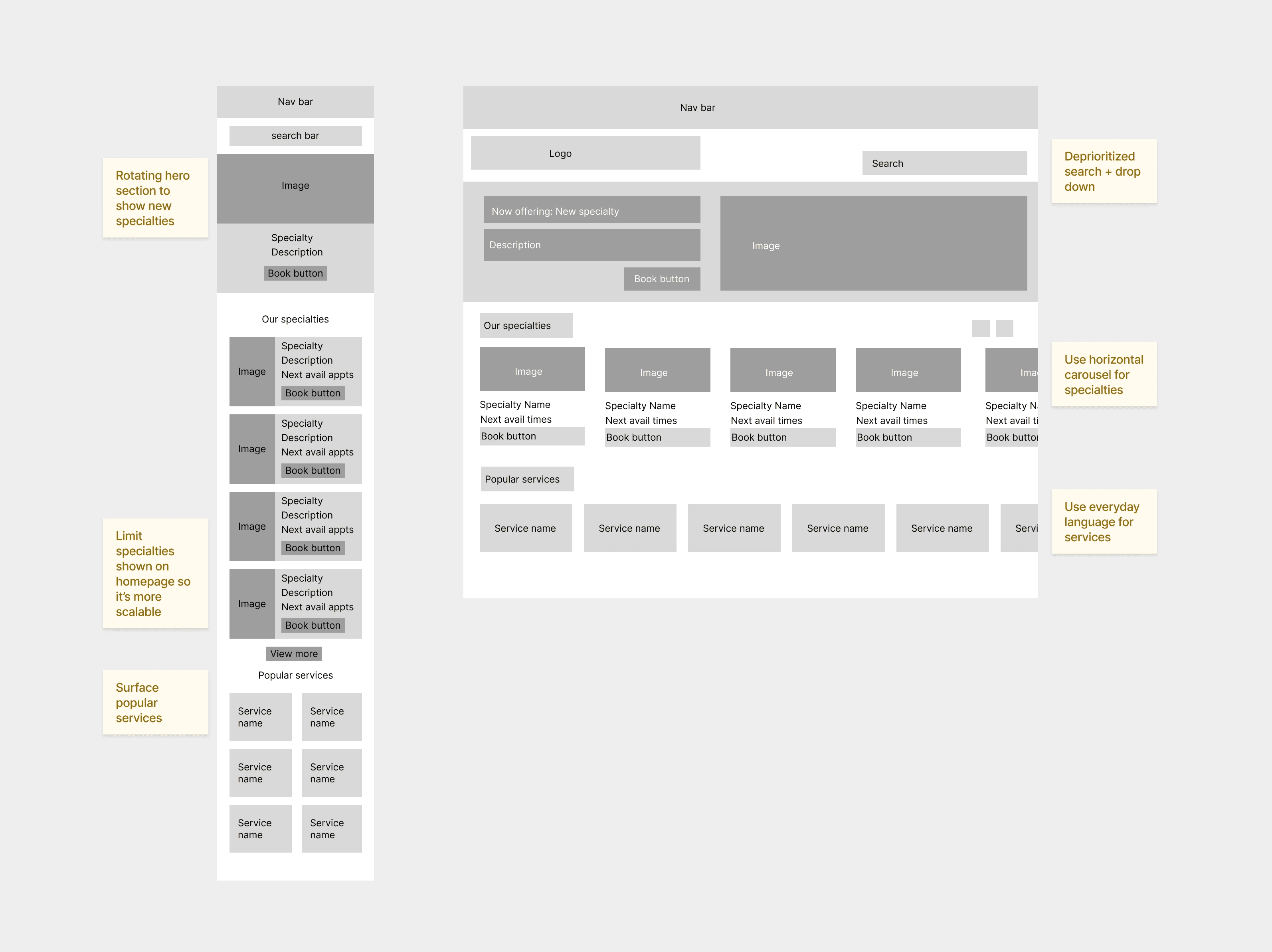
Second iteration: Balancing patient needs and business goals
Accessibility
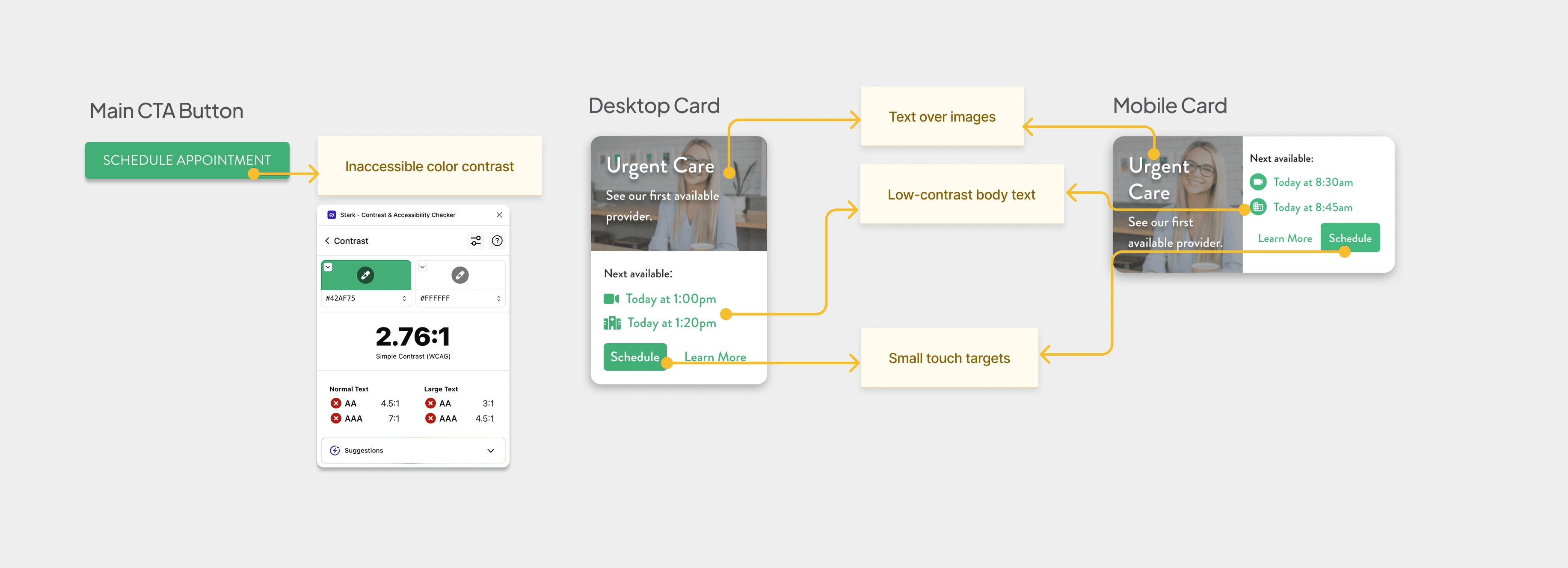
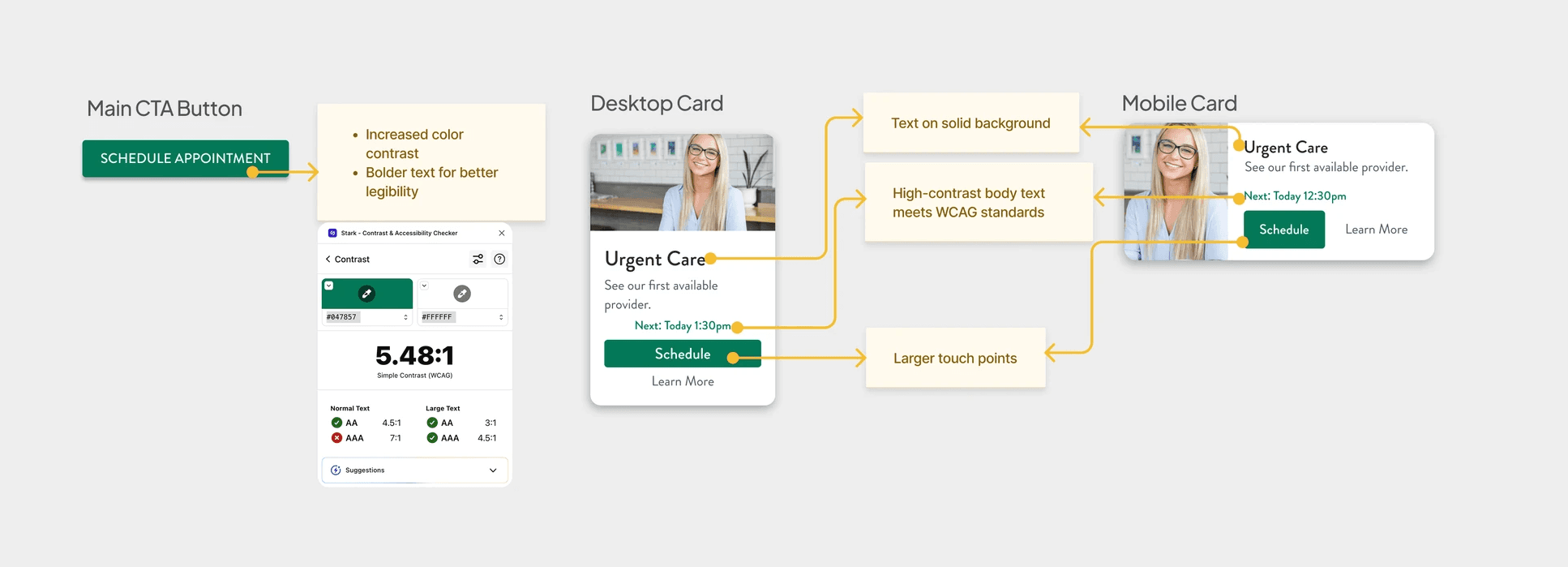
As a healthcare website, accessibility is not optional, especially when patients of all ages and abilities need to access care.
Old design with accessibility issues
New design with improved accessibility
Challenges
Balancing Depth vs. Discoverability
With 300+ services, determining which to highlight required careful prioritization
Solution
Used analytics to identify the most sought-after services, reserving deep-dive content for specialty pages
Conflicting Patient vs. Business Needs
Patients wanted quick access to routine services, while the business wanted to promote new or underutilized offerings.
Solution
Balanced both by adding the hero carousel for marketing and the Services Spotlight section for high-demand patient needs.
Final Design
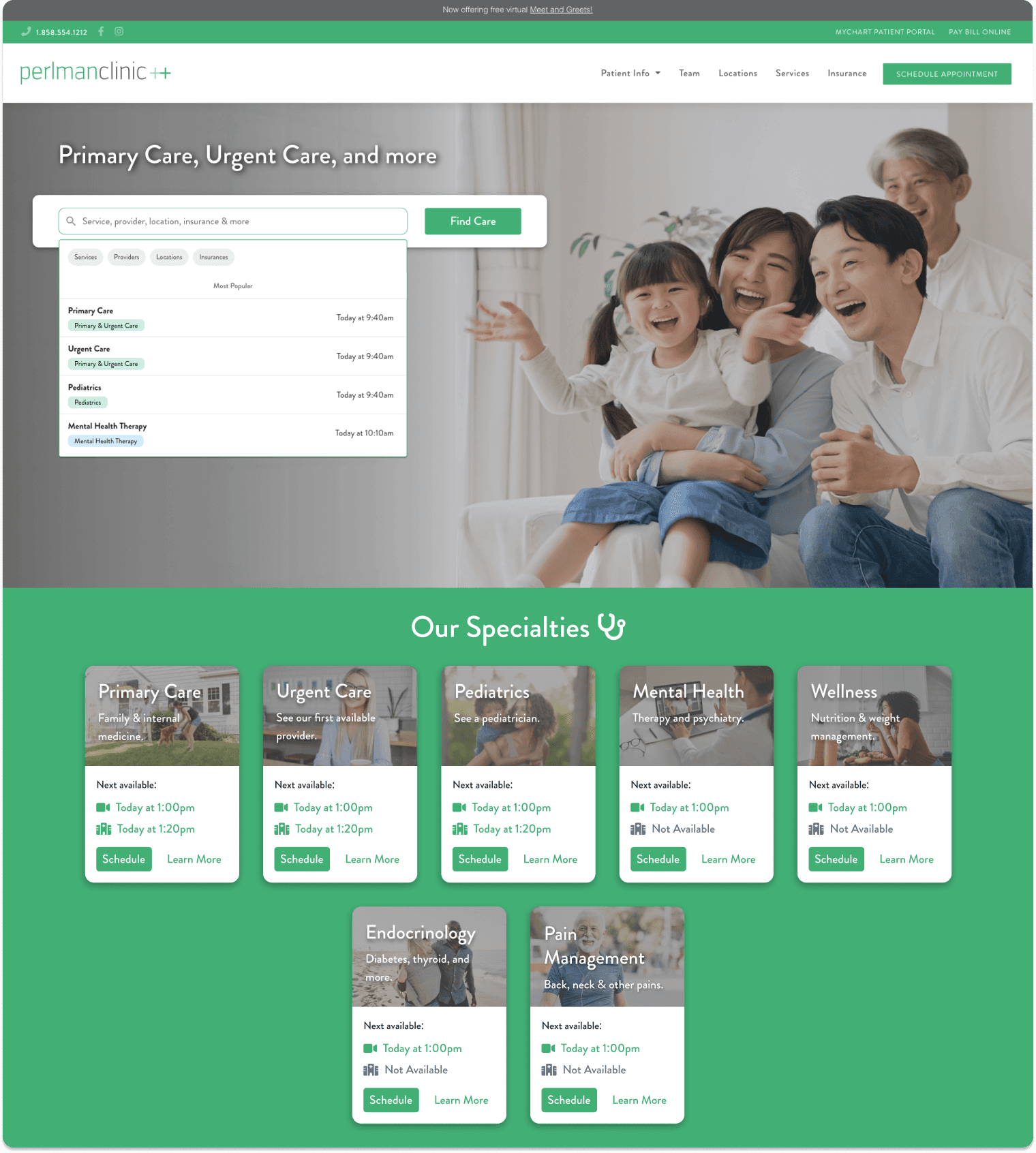
Delivered a clean, scalable, and patient-centered design that improves usability while supporting the clinic’s future growth.
Before
After
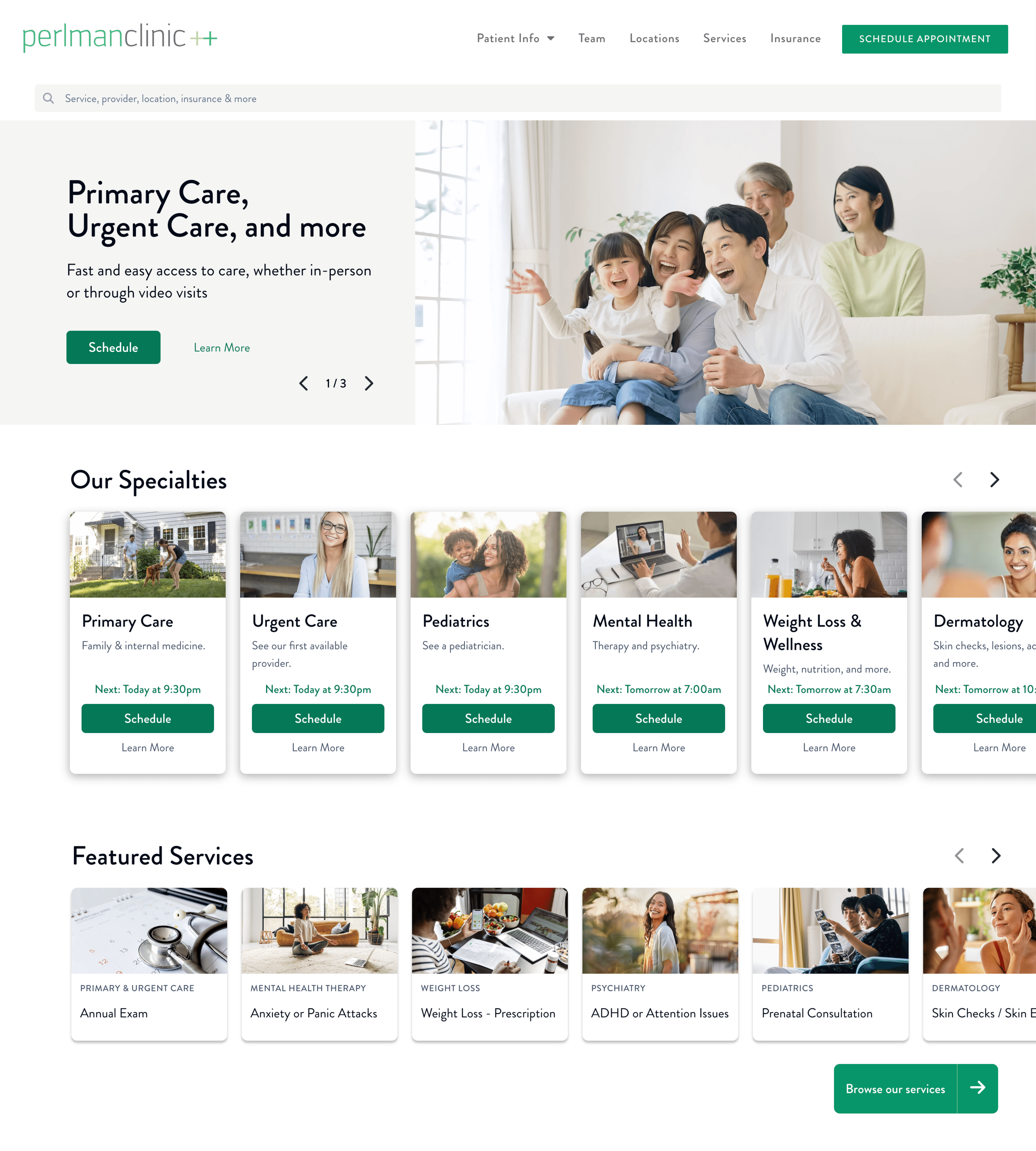
Hero Carousel
Capture Attention in 5 Seconds
Promotes new and popular services
Markets emerging specialties
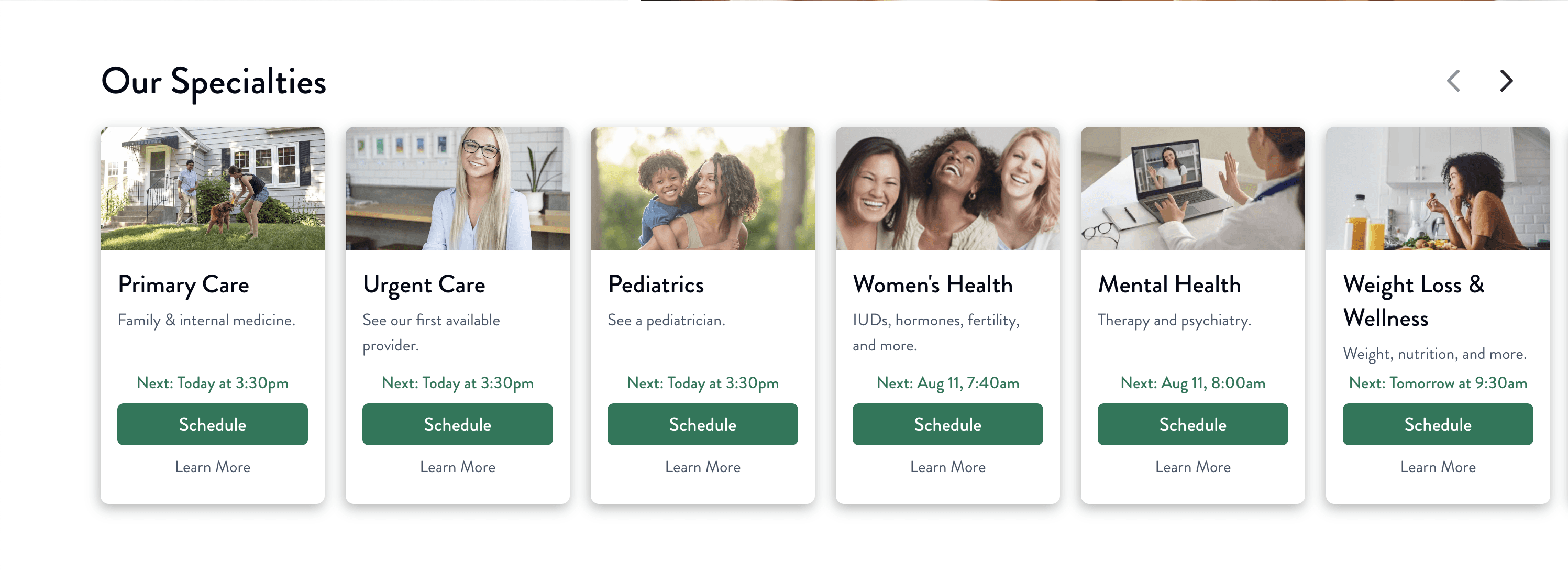
Specialties
Accessible and Scalable
Larger tap targets and high contrast for accessibility
Flexible layout that fits more specialties over time
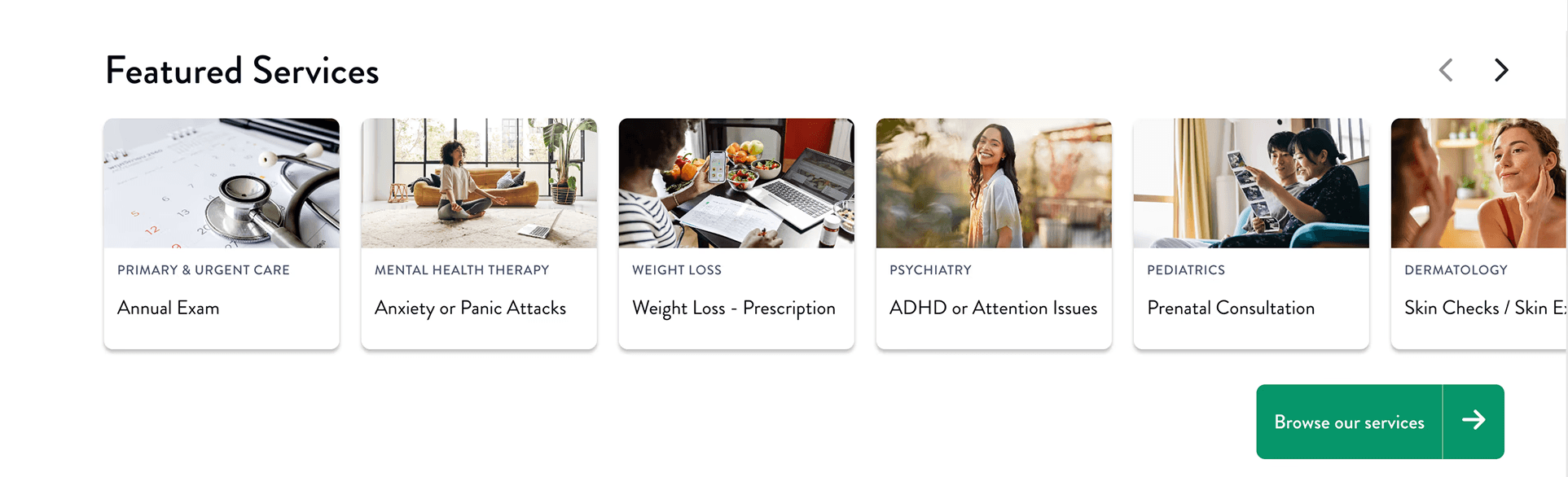
featured services
Speak the Patient's Language
Lists common services in everyday terms
Anticipates patient needs before they search
Increases engagement and appointment requests
Reflection
Reflection #1
Defining metrics early kept me focused on outcomes, not just visuals.
It reminded me how powerful it is when design decisions tie back to impact.
Reflection #2
Balancing patient needs with business goals was the hardest part.
I learned that with the right structure, it’s possible to deliver both clarity for patients and growth for the business.